

Quick answer: To trade forex from Pakistan with low latency, run your MT4/MT5 terminal on a Windows VPS near your broker’s servers (Amsterdam or London), check ping in the MT4/MT5 status bar, use a wired connection, trade outside peak hours, and pick the fastest broker server. A European server cuts 250ms+ connections to single digits.
Most traders in Pakistan do not have a strategy problem. They have a geography problem. Your broker’s trade servers sit in Amsterdam, London, or New York, and your order travels thousands of kilometers from Lahore or Karachi before it reaches them. Every millisecond of that trip is time the market can move. The good news: this is solvable, and the fixes are cheaper than most traders expect.
Why Is Trading From Pakistan So Slow?
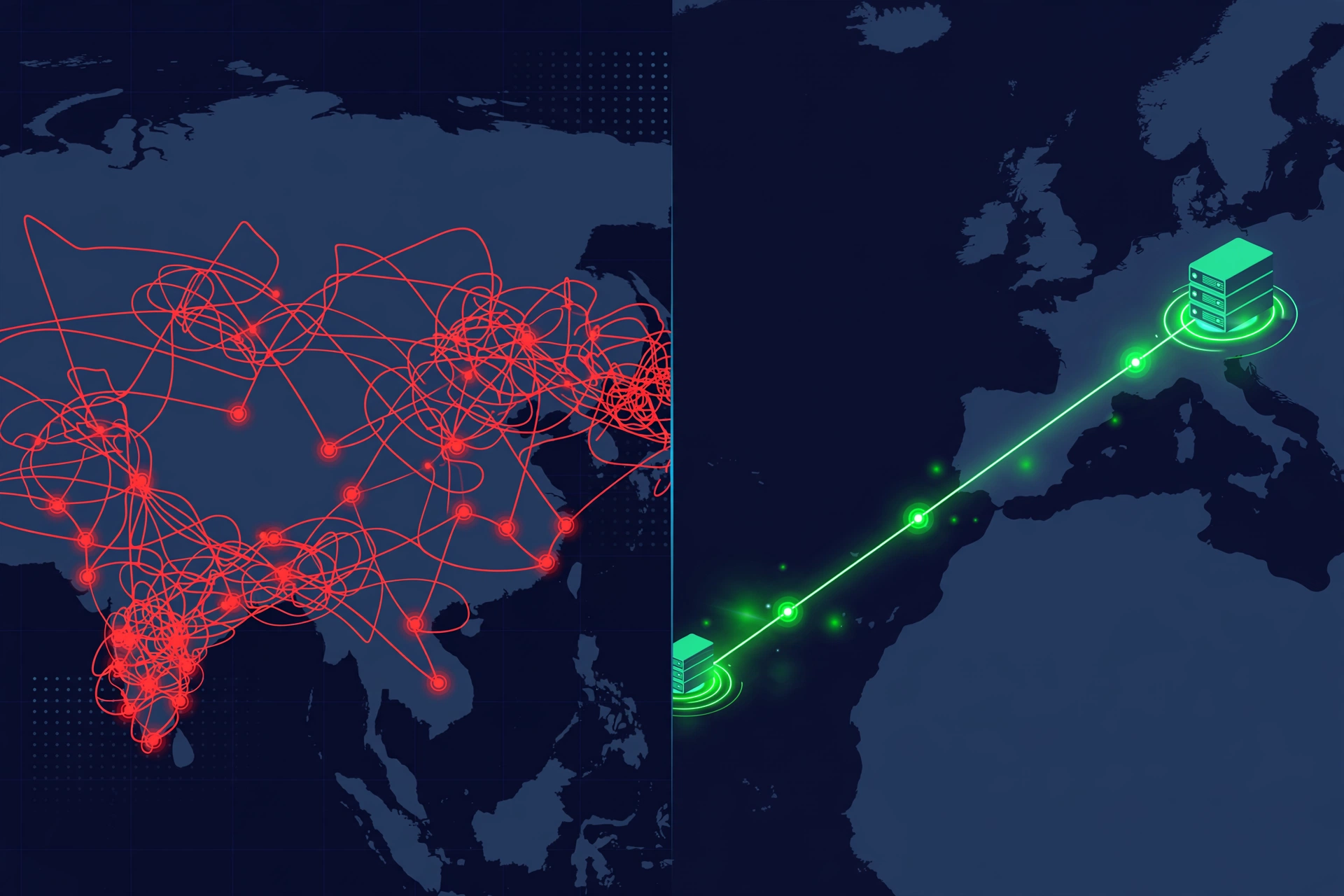
The short answer is distance plus hops. When you click buy in MT4, your order does not fly straight to the broker. It passes through your local ISP, then through a chain of networks across the region and undersea, before it finally arrives at the broker’s trade server in Europe. Each hop adds delay, and long international routes add a lot of it.
From a Pakistani home connection, ping to an EU broker trade server usually lands between 180 and 320 milliseconds, depending on your ISP, the time of day, and your city. During peak evening hours it can spike higher. For a scalper, 250 milliseconds is the difference between the quoted price and a worse fill. For a swing trader holding positions for days, it matters far less.
This is not about Pakistani internet being bad. Local connections to local servers are fast. The problem is strictly the international leg: your data crosses a long, congested route to reach the broker. You cannot move closer to the broker, but you can move your terminal closer, which achieves the same thing.
How Do I Measure My Current Latency?
Before fixing anything, get a baseline. MT4 and MT5 show your live ping right in the bottom-right corner of the status bar. It looks like a small signal icon followed by a number like “215 / 4 ms”. The first number is your current ping to the connected trade server; the second is the number of data packets sent.
Watch it for a full trading day: the Asian session, the London open, and the evening peak. If you see 200 to 300+ milliseconds consistently with spikes above 400, you are a good candidate for the fixes below. Screenshot your worst reading, then compare after each fix. That is how you know what actually worked.
As a reference for what the platform needs, check MetaTrader 5’s official system requirements. The terminal itself is light; latency is a network problem, not a hardware one.
What Are the 5 Practical Fixes for Lower Latency?
These are ordered by impact. Start at the top.
1. Put your terminal on a VPS near your broker
This is the single biggest fix. Instead of running MT4 on your home PC, run it on a Windows server in the same city as your broker’s trade servers. Your order then travels a short local route, often in 1 to 10 milliseconds. You connect from home with Remote Desktop to check in, and that connection can lag without affecting trades, because execution happens on the server.
Most EU brokers host trade servers in or around Amsterdam and London. That is why European servers are the standard pick for traders in Pakistan and South Asia: the closest fast location to the broker beats any “local” option. A Forex Trading RDP plan in Amsterdam sits milliseconds from the trade server and keeps your trades running 24/7 even when your home PC is off.
If you want to understand the setup process before committing, read how to run MT4 on a VPS. The walkthrough covers installing the terminal on a remote Windows server step by step.
2. Use a wired connection, not WiFi
WiFi adds jitter. A cable from your router to your PC removes a layer of packet loss and interference, especially in apartment buildings where dozens of routers fight over the same channels. On WiFi, use the 5 GHz band and keep the router close. Close bandwidth-hungry apps (streaming, cloud backups, downloads) while you trade. Your terminal needs little bandwidth, but it needs it steady.
3. Trade during low-congestion hours
Pakistani home internet slows in the evening when residential usage peaks. The London open (around noon to 1 PM Pakistan time) and the New York session often give cleaner routes than late evening. Better still, let the VPS do the trading: the server ignores local peak hours entirely, which disconnects your execution quality from your home connection’s mood swings.
4. Pick the fastest broker server, not the default one
When you open a demo or live account, most brokers offer several trade servers, and the default is not always the fastest for you. In MT4, go to Tools, then Options, then Server, and rescan. Try each server and note the ping in the status bar. Sometimes switching from the broker’s “main” server to a regional one cuts 50 to 100 milliseconds off your route. It costs nothing to check, and many traders skip it entirely.
5. Keep your trading platform lean
A terminal loaded with 20 indicators, 12 charts, and three EAs pushes more data, and all of it competes for attention on a congested route. Run only the charts and tools your strategy needs. This will not halve your ping, but on a bad evening the difference between a clean and a cluttered terminal is noticeable. For detailed sizing guidance, see how much RAM a forex VPS really needs, and if you are choosing between server types, how to choose the best forex VPS for MT4/MT5 walks through the full buying decision.
What Should a Pakistan-Based Trader Look For in a Provider?
Server location comes first, but the provider details matter too, especially when something breaks at midnight before the London open.
Support that speaks your language and your hours. A Lahore-based provider on Pakistan time means support is awake when you are. SadeemRDP has sold Windows RDP and private VPS from Lahore since March 2017, with 24/7 support over WhatsApp, Telegram, live chat, and tickets. When a server issue threatens open positions, messaging support on WhatsApp in your own language is worth more than any spec sheet.
Local payment options. International cards are not universal in Pakistan, so check what a provider accepts before you get attached to a plan. Mobile wallets like EasyPaisa and JazzCash are commonly accepted by local-friendly providers, but payment options change, so confirm on the order page or with support before paying. Fast activation after payment also matters: you want credentials the same day, not next week.
The right plan type for how you trade. A shared Forex Trading RDP plan at $9.99/month is enough for running a terminal or two and checking in during the day. One important honesty note: SadeemRDP’s terms disallow bot programs on shared RDP plans, so if your whole strategy runs on EAs, confirm eligibility with support first or go straight to the Forex Trading VPS at $14.99/month, which includes full admin rights and is built for heavier automated workloads. Keeping your terminal running around the clock is a separate question, and keeping MT5 running 24/7 without keeping your PC on explains the always-on setup.
Get Low-Latency Forex RDP
From $9.99/mo · Amsterdam servers · 24/7 uptime
Can a VPS Fix Every Latency Problem?
No, and anyone who says otherwise is selling something. A VPS fixes the network distance between you and the broker. It cannot fix broker-side problems: an overloaded trade server during major news, poor broker infrastructure, or deliberate slow execution will hurt fills wherever your terminal runs. It also cannot turn a losing strategy into a winning one.
Latency has three parts: your route to the server (fixed by a well-placed VPS), the broker’s internal execution speed (fixed only by choosing a better broker), and your own setup (fixed by this guide’s hygiene). If you have handled all three and still see poor fills, the problem is your broker, not your geography. For more speed tactics, read how to reduce latency in forex trading.
Frequently Asked Questions
What is a good latency for forex trading from Pakistan?
From a Pakistani home connection, anything under 250 milliseconds to an EU broker is decent and under 150 is good. With a VPS in Amsterdam or London near your broker’s trade servers, 1 to 10 milliseconds is normal. Below 100 milliseconds, further improvements rarely change results for manual traders; scalpers and news traders benefit most from single-digit pings.
Do I need a VPS in Pakistan or in Europe?
Europe. A VPS in Pakistan would be fast to reach from home, but your orders would still travel the long leg to the broker. The server must sit near the broker’s trade servers, not near you. Most EU brokers host in Amsterdam or London, which is why European servers are the standard choice for Pakistani traders.
Will a VPS help if my internet keeps disconnecting?
Yes, that is one of its best uses. Your terminal runs on the VPS in the data center, which has redundant power and internet. If your home connection drops or load shedding hits, your trades and EAs keep running. You only lose the screen view until your connection returns. Many Pakistani traders buy a VPS for this reliability alone.
How much does a low-latency forex server cost?
A shared Forex Trading RDP plan in Amsterdam starts at $9.99 per month, which covers one or two terminals running 24/7. A private Forex Trading VPS with full admin rights starts at $14.99 per month and suits traders running multiple EAs, backtests, or custom tools. Both are cheaper than one bad slippage event on a standard lot during news.
Can I pay for a forex VPS with EasyPaisa or JazzCash?
Many local-friendly providers accept Pakistani mobile wallets, but availability varies by provider and can change. Check the order page or ask support on WhatsApp before paying to confirm which payment methods are currently supported. Also confirm activation time, so you are not waiting days for credentials while the market moves.