In This Video You Will Learn How To Change Download Location Of Internet Download Manager (IDM), Google Chrome, Mozilla Firefox, UC Browser, Opera, uTorrent, BitTorrent, qBitTorrent Etc And Other Software To Download Big Files.
Watch Above Video To Setup Your RDP To Download Big Files. This Is Most Important Setup For All RDP Users How To Change IDM Download Location:
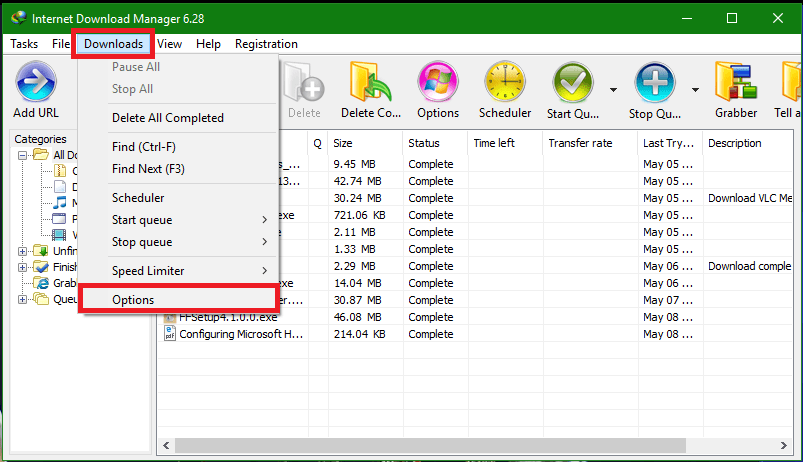
1. Open IDM
2. Goto Downloads>>Options
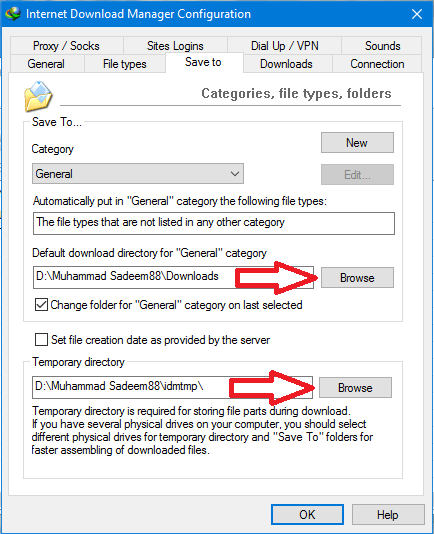
3. Then Goto To “Save To” Tab And Change Download Location For All Categories
4. Now Change Temp Download Location
5. Done !
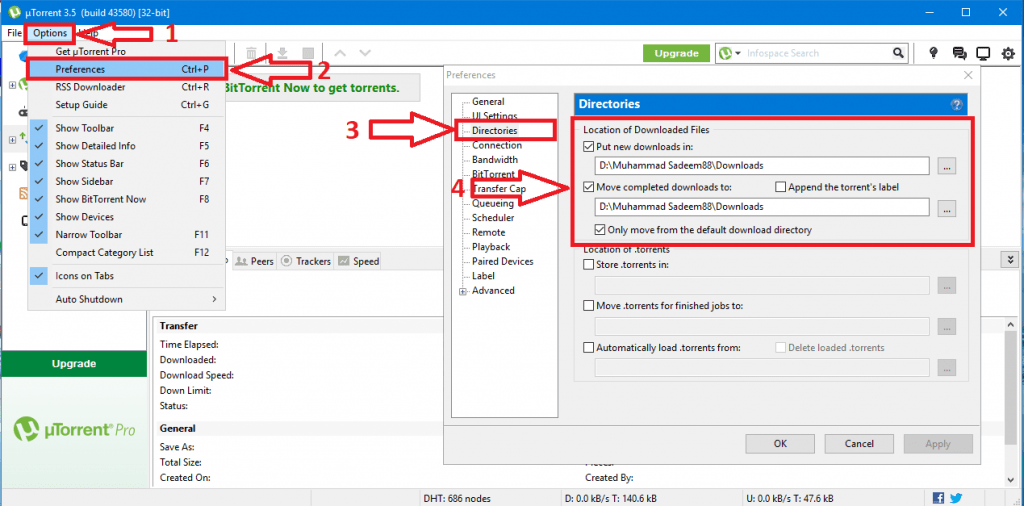
For uTorrent/BitTorrent,qBitTorrent Etc See Below Image: